
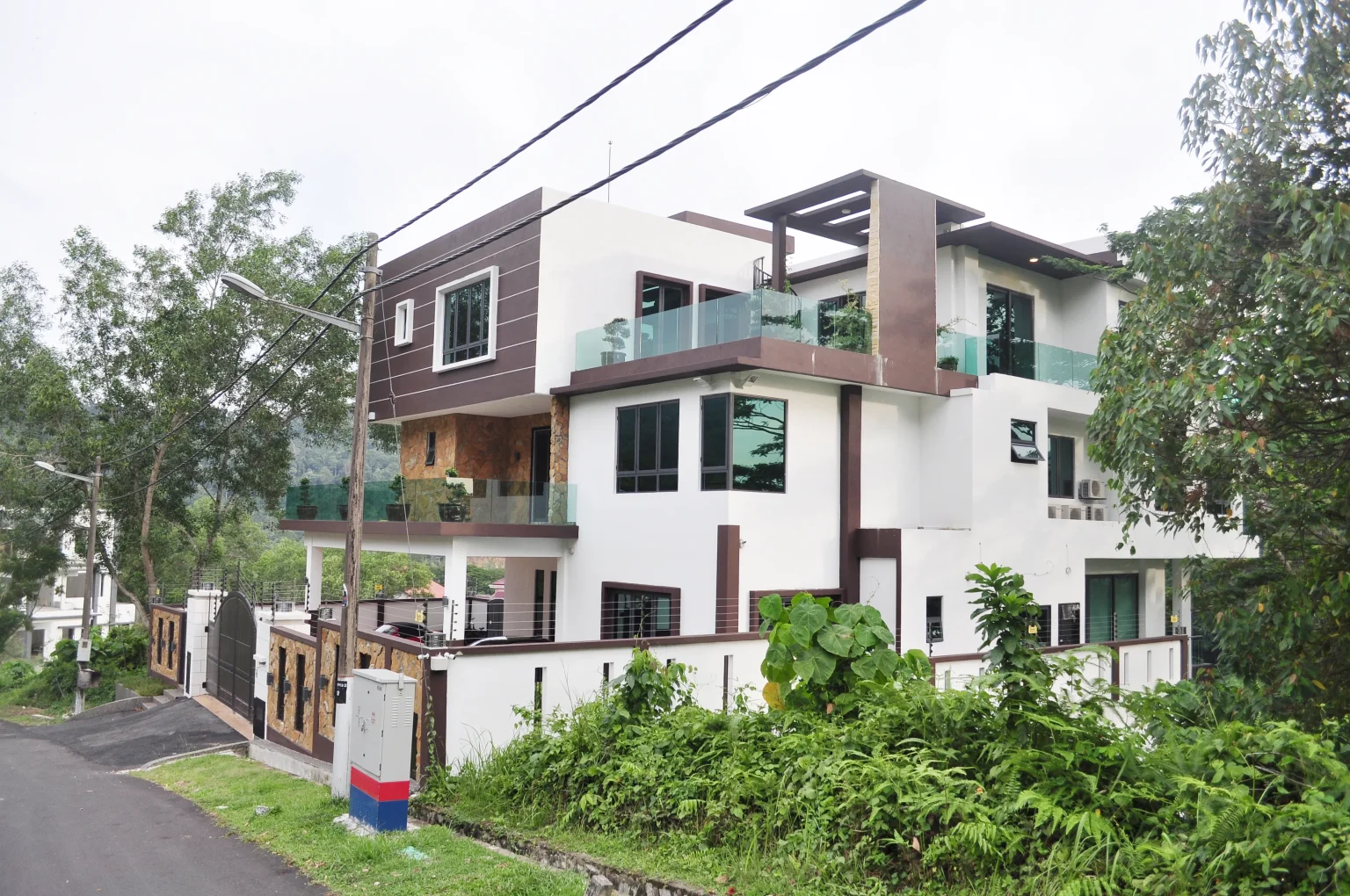
Ask about a smart home today and the conversation usually reaches wireless within minutes. Modern radio protocols are genuinely capable, retrofit products are everywhere, and the promise is attractive. Less cabling, less planning, less disruption. For an existing home, that promise is often exactly right.
Then the project grows up. The systems being discussed are no longer a few lamps and a plug. They are the lighting for an entire house, the air conditioning, the curtains and blinds, the sensors that let the building make sensible decisions on its own. These are permanent building functions that will be expected to work every day for decades, and once that is the expectation, the question changes shape.
The better question is not whether wired or wireless is universally better. It is which parts of the home should become permanent building infrastructure, and which parts genuinely benefit from wireless flexibility. That is the question this article answers, from the perspective of a team that has designed, installed and, just as importantly, supported automation systems in Malaysian homes since 2013.
For new construction or major renovation, Madoc generally prefers wired infrastructure for permanent automation functions wherever practical. Wireless remains extremely useful for retrofits, supplementary devices and locations where installing new cable would cause disproportionate disruption, so the best design is often hybrid.
In large Malaysian properties, building materials, multiple floors and long-term maintenance deserve more weight in the decision than advertised wireless range.
What Do Wired and Wireless Actually Mean?
Both words hide more variety than the marketing suggests. Wired automation is not one technology. It includes dedicated automation buses such as Loxone Tree and KNX TP, lighting control buses such as DALI-2, Ethernet for the network backbone, serial and Modbus interfaces to equipment such as air conditioning and energy meters, and plain hardwired contacts for things like door sensors. These are different tools with different jobs, and they are not interchangeable. What they share is a physical, known path between the device and the controller.
Wireless is equally varied. Wi-Fi, Thread, Zigbee, Bluetooth, KNX RF and Loxone Air all use radio, but they differ in frequency, power, topology and purpose. What they share is that the communication path travels through the air, through whatever the building happens to be made of.
One misunderstanding is worth clearing up early. Wireless does not mean wire-free. A wireless curtain motor still needs power at the curtain pocket. Many wireless switches and repeaters still require mains power. A professional wireless access point normally depends on a wired Ethernet backhaul. In practice, wireless removes the control cable, not the electrical planning.
Wired vs wireless is not actually the decision
Lighting, climate, shading, core sensors. Wired where the building still gives the opportunity.
Added controls, supplementary sensors, finished areas. Wireless where it genuinely adds value.
Both, designed together under one automation architecture rather than accumulated by accident.
Wireless Has Changed: Matter, Thread and Modern Mesh Networks
It would be lazy to argue against the wireless of ten years ago, because today's wireless is better. Two names matter most in the current conversation, and they are often confused with each other.
Matter is not a radio. It is an application standard, maintained by the Connectivity Standards Alliance, that defines how smart devices describe themselves and talk to controllers. Matter runs over networks the home already has: Wi-Fi, Ethernet and Thread, with Bluetooth Low Energy used during initial setup. Its promise is interoperability between ecosystems, and its operation is local by design, with an internet-connected controller needed mainly for control from outside the home. Matter certification does not guarantee that every feature of every device is exposed identically in every ecosystem, but it is a genuine step forward for consumer interoperability.
Thread is the network underneath many of those devices. It is an IPv6-based, low-power mesh protocol built on the same IEEE 802.15.4 radio foundation as Zigbee. Mains-powered Thread devices can act as routers that forward traffic for others. Battery devices normally join as end devices, which communicate through a single parent router, and the most power-frugal of them are sleepy end devices that spend most of their time with the radio off, waking briefly to poll their parent. This distinction matters in practice: battery devices do not forward traffic for others, so a house full of battery sensors does not automatically create a stronger mesh. A border router links the Thread mesh to the rest of the home network. Thread operates on the local network and does not require the internet to function internally. The shift is reaching the professional lighting world too: DALI, traditionally a dedicated two-wire lighting bus, now has DALI+, which carries the same commands over wireless and IP networks, with Thread as its first certified carrier.
These are well-designed technologies, and modern mesh networking deserves respect. A mesh gives packets more possible paths, so the network can route around some problems, and a dense mesh of mains-powered devices can be impressively resilient. Our argument in this article is not that this technology fails. It is that physics, scale and maintainability still apply to it.
Matter and Thread Do Not Eliminate Building Physics
A mesh improves path options. It does not change what radio waves have to travel through. Attenuation, reflection and obstruction are properties of the building, not of the protocol. Concrete absorbs radio energy, and measurements published by engineering bodies such as NIST show that attenuation through concrete grows with thickness and frequency, with embedded steel reinforcement adding further loss. Metal surfaces reflect and shadow. Distance still weakens every link. No routing algorithm removes the wall from the path.
The honest engineering statement is this. A well-planned mesh can work around difficult building physics by placing enough routing devices in the right locations. That is a real solution, but it is also a design task, with its own hardware, placement and maintenance implications. Wireless coverage in a demanding building is not free. It is simply a different kind of infrastructure.
Why Malaysian Construction Changes Wireless Design
This is where the generic international advice starts to fail Malaysian homeowners. Much of the enthusiastic smart-home content online is written around timber-framed houses with plasterboard internal walls, where radio travels relatively easily. The landed and multi-storey properties we work on in Malaysia are usually built differently.
In the houses Madoc commonly encounters, internal and external walls are masonry, floors are reinforced-concrete slabs, and structural columns and beams run through the middle of the living space. Add the metalwork of a modern build, such as roofing, railings, security doors, gates and full-height glazing with metal frames, and the radio environment becomes genuinely demanding. A signal that crosses one brick wall comfortably may struggle through a reinforced slab between floors, and outdoor points such as the gate, the garden and the guardhouse sit beyond several walls and often beyond the useful range of an indoor network.
None of this means wireless cannot work in a Malaysian home. It means wireless has to be engineered here, not assumed. Every solid floor and every concrete wall is a reason to position another routing device, and every corner of the property that automation should reach is a coverage question that someone has to answer deliberately.
Why Large Multi-Storey Homes Change the Engineering Requirement
Scale changes the problem as much as construction does. A one-bedroom apartment with a router in the living room is a forgiving radio environment. A large landed residence is a different network design exercise altogether. Such a property may include several floors, separate wings, a double-volume living space, a basement, a plant room, a pool deck, a garden and a gate far from the house. Not every large home has all of these, but each one that exists adds distance, obstructions and vertical paths through reinforced slabs.
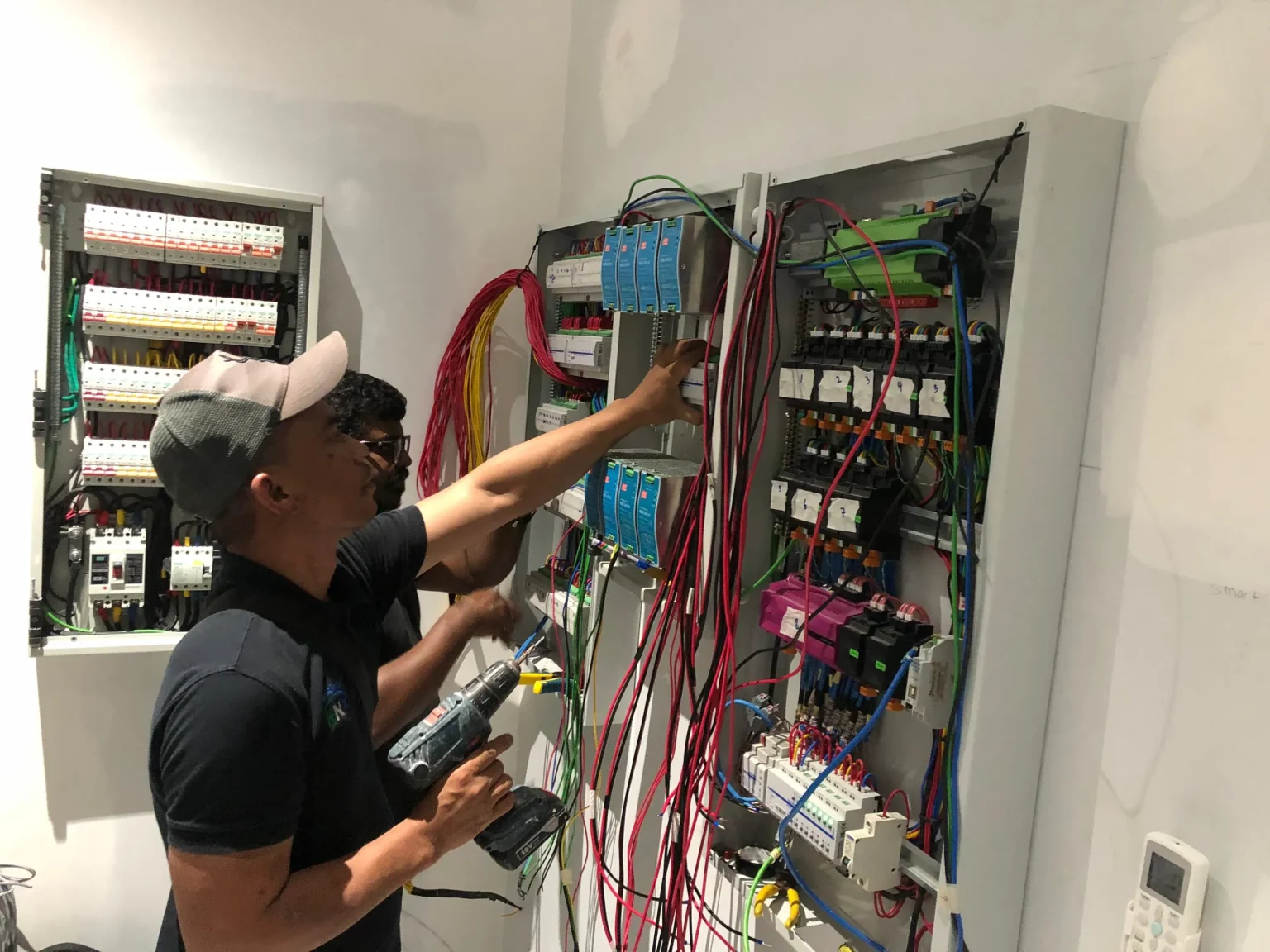
The number of devices grows too. A whole-house system can involve hundreds of controlled circuits and sensing points. At that scale, questions that are invisible in a small apartment become central: how many routing devices the mesh needs and where they must sit, how traffic behaves across floors, and how anyone will locate a problem in a network that large years after handover. This is exactly the situation where treating the automation network as designed infrastructure, rather than as an accumulation of gadgets, starts to pay for itself.
Where Wireless Is Genuinely Better
A balanced article has to say this clearly: there are situations where wireless is not a compromise but the correct engineering answer.
The most obvious is the completed building. When the ceilings are closed, the walls are finished and the owner has no appetite for construction work, wireless is often the only proportionate way to add automation. It is also the natural choice for supplementary devices that were never part of the original plan. An extra switch point beside the bed. A sensor in a location nobody predicted. A remote control that can live on the coffee table. A device on a garden structure that no cable route serves.
Wireless also wins where flexibility is the point. If a room's layout will change, a battery switch can move with the furniture. If a requirement is temporary or experimental, a wireless device avoids committing the building to it. And in heritage properties or high-value finishes, leaving the fabric untouched can outweigh every other consideration.
The principle we apply is simple. Use wireless to solve a constraint, not simply to avoid planning infrastructure. When wireless is chosen because it solves a real problem, it earns its place in the design. When it is chosen only to avoid the effort of planning cable routes in a building that is still open, it quietly converts a one-time construction decision into a permanent radio dependency.
Why Wired Infrastructure Still Matters
Once a function is permanent, the case for a physical communication path becomes strong. A cable does not compete for spectrum, does not depend on the placement of other devices, and behaves the same on the day the house is handed over and ten years later. For permanent loads such as lighting, shading and climate, that predictability is worth designing for.
There is also a longevity argument that we have seen play out in our own projects. Electronics change quickly. Physical infrastructure changes slowly. Good cable, installed on sensible routes with access preserved, can outlast several generations of the devices connected to it, and it keeps options open when technology moves on.
One of Madoc's earliest projects illustrates the point. Templer Heights, a five-storey villa we began in 2014, was originally built around a KNX architecture controlling lighting, fans and air conditioning. Years later, a Loxone Miniserver was integrated into the existing installation to extend what the house could do. The system could evolve because the building already had an automation infrastructure worth integrating with. That does not mean wired systems never age, but it shows how physical infrastructure preserves options in a way that is difficult to retrofit afterwards.
Reliability Is Also About How Easy a Problem Is to Diagnose
Most comparisons of wired and wireless stop at whether the system works. Our support experience has taught us to care just as much about what happens when it does not, because every system, wired or wireless, will eventually need attention.
Maintainability is part of reliability.
When a wireless device stops responding. In systems we have supported, a wireless device that loses communication opens a wider set of questions than most wired faults. Is the hardware itself faulty? Is the battery weak? Is the radio path marginal? Has the mesh topology changed? Is the gateway involved? Is the fault intermittent, appearing only at certain times? Each variable is checkable, but several of them cannot be checked remotely, and more than once the only way to answer them has been to send an engineer to site and investigate physically.
A comparable wired fault usually offers a more systematic path. Power, device, cable, controller, connections and protection can be inspected in sequence, and the fault is generally somewhere along a path we can see and test. Not every wired fault is easy, and not every wireless fault is hard. On average, however, the wired fault costs less diagnostic time, and diagnostic time is exactly what a homeowner experiences as how long the system was broken.
Where can the problem be?
Illustrative diagnostic paths, not an exhaustive fault tree.
Battery Devices Create a Maintenance Responsibility
Battery power is one of wireless's best tricks. It frees a sensor or switch from the electrical installation entirely, and for a handful of supplementary devices it works well. But every battery is a small maintenance contract, and the building does not honour it by itself. Somebody has to notice the low-battery warning, find the right battery type and actually change it.
Batteries after handover. This has happened in systems we have supported. A battery device warns of low charge, the warning is ignored or forgotten, and the device sits dead for months. In some of those cases the exhausted battery eventually leaked inside the housing and permanently damaged the electronics, turning a routine battery change into a hardware replacement. Not every neglected battery leaks, and this is not an argument that battery devices are unreliable. It is a reminder that the battery itself becomes a lifecycle item that someone must own.
The arithmetic matters more than the anecdote. One remote and a few supplementary sensors are an entirely reasonable maintenance load. Dozens of battery devices standing in for permanent controls and sensors are a different proposition, and in our experience that burden lands on the homeowner years after the installer has left.
A Smart Home Can Still Become Fragmented Across Too Many Ecosystems
There is a failure mode that has nothing to do with radio quality at all. A house accumulates products brand by brand: one app for lighting, another for the curtains, another for the air conditioning, another for the door lock, more for sensors, cameras and smart plugs, each possibly with its own gateway. Every individual product may work exactly as designed. The result can still be a poor smart home, because a collection of smart devices working individually is not the same thing as an integrated building.
Fragmentation has practical costs. Scenes that should span systems have to be stitched across ecosystems, if they are possible at all. Faults become boundary disputes between apps. And the coordinated behaviour that makes a home feel genuinely intelligent, the kind we described in our article on what makes a home truly smart, is difficult to engineer across half a dozen separate controllers. Matter is improving the consumer version of this problem, but interoperability between ecosystems is still not the same as one coherent automation architecture with one place where the logic lives.
The Malaysian No-Neutral Retrofit Problem
Retrofit projects in Malaysia run into a constraint that deserves its own section. In many existing homes we encounter, the wall switch location has no neutral conductor available. The switch loop carries the live conductor to the switch and onward to the light, and the neutral completes its circuit elsewhere. Traditional switching never needed a neutral at the switch, so the installation never provided one.
Smart switches are different. The electronics inside need continuous power, which is most cleanly provided when both live and neutral are present at the switch box. This is why an entire category of no-neutral smart switches exists, using various techniques to power themselves without a neutral conductor. They solve a real retrofit constraint, and we have used and encountered them in the field. We should also be honest: in our own support experience, some no-neutral solutions have not met the long-term reliability standard we prefer for permanent controls. That is not a claim that every such device fails. It is a pattern that has shaped our preference.
The deeper lesson is about new construction. A missing conductor is a constraint you inherit in a retrofit, and a constraint you choose if you allow it into a new build. If the electrical infrastructure can be designed correctly at construction stage, we would rather provide the proper wiring than depend unnecessarily on a compromise created by missing conductors.
What Should Be Wired in a New Home?
When a building is still open, this is what we normally treat as permanent infrastructure. It is a description of our engineering practice rather than a universal prescription, and the detail always follows the specific building and its electrical design.
Lighting
Lighting is the most used automation function in any home, and its circuits are permanent by nature. Where construction allows, Madoc generally prefers wired control of lighting circuits, whether through an automation bus or a dedicated lighting control bus such as DALI-2. Wireless lighting control can and does scale in other architectures, but when the walls are open, creating a radio dependency for a permanent load that could have had a physical control path is a choice we find hard to justify.
Shading
Motorised curtains and blinds are a favourite wireless product category, and the communication can indeed be wireless. The motor still needs power. A curtain pocket or pelmet with no provision for a motor supply is the single most common shading regret we see in completed homes. Planning the power, the pocket and ideally the control cable during construction preserves every option later.
Climate
Air conditioning integration depends on the equipment, not on preference. Depending on the manufacturer and model, integration may be through an official gateway, Modbus or BACnet where supported, KNX interfaces, dry contacts or an infrared emulator. These are not equivalent: a supported two-way interface can report actual status and faults, while an infrared emulator simply imitates the remote control. Deciding the integration method early, while the electrical and mechanical design is still flexible, is part of the infrastructure conversation.
Sensors and controls
Fixed sensors that the automation depends on every day, such as presence, temperature and light-level sensing, benefit from being wired and powered where practical, precisely because the logic of the whole house relies on them. Supplementary and convenience sensing is where wireless earns its keep.
Networking
A wired automation philosophy does not make Wi-Fi unimportant. The opposite is true: a professional Ethernet backbone with properly placed access points remains fundamental to any modern home. It is also worth understanding that Wi-Fi coverage, Thread coverage, Zigbee coverage and Loxone Air coverage are four different radio footprints. Each network needs its own appropriate infrastructure, and none of them inherits coverage from the others.
The panel
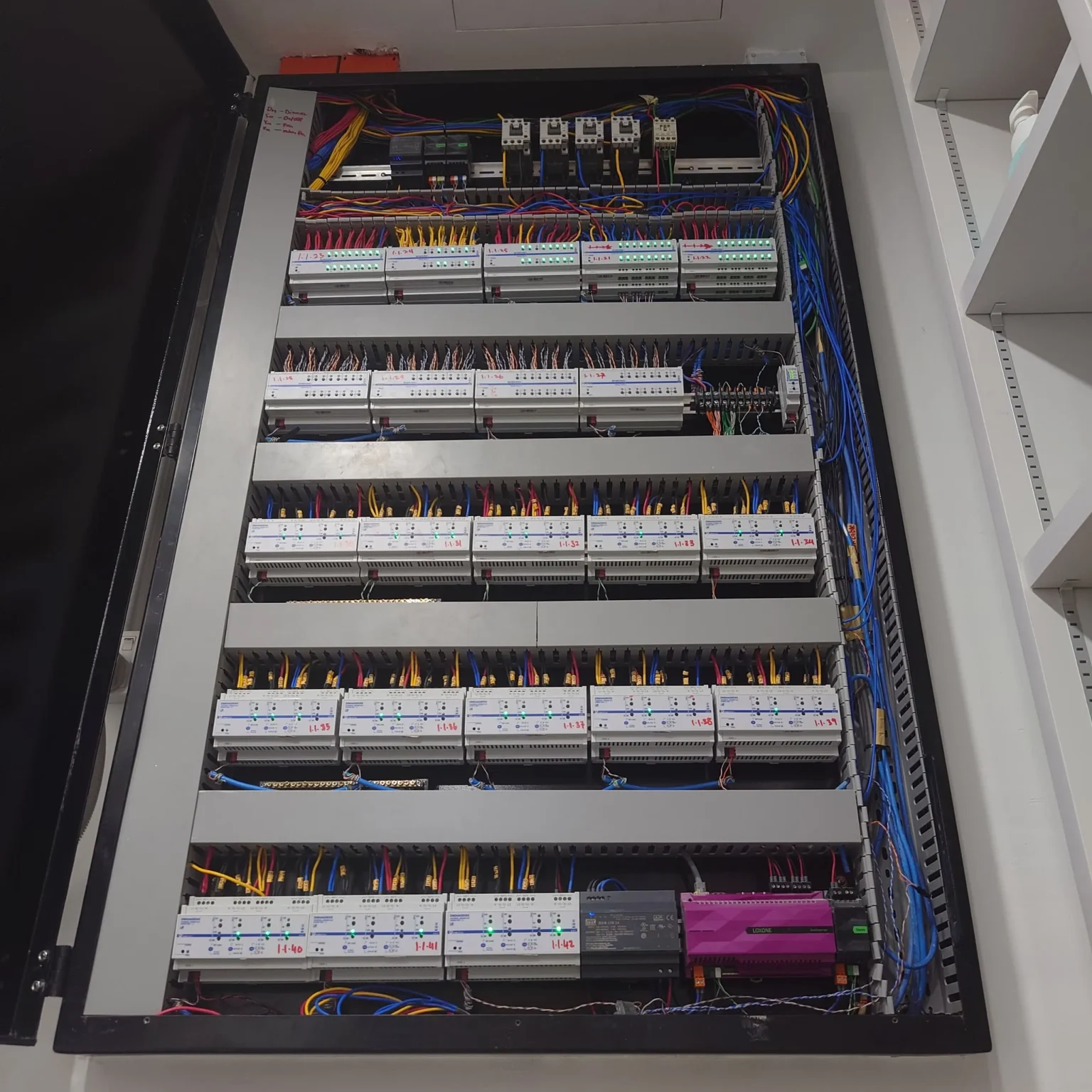
One quieter advantage of a professionally designed wired architecture is where everything lives. Control modules, power supplies, circuit protection and terminations are organised in defined electrical panels, isolated, labelled and accessible for service. Distributed retrofit electronics hidden in switch boxes, ceiling voids and behind furniture still sit on protected circuits, but isolation, access and diagnosis become fragmented across the whole building. Years later, the difference between those two situations is measured in hours of an engineer's time.
Wired and Wireless Can Belong to the Same Automation System
Everything above might sound like a contest, so this needs saying plainly: in a well-designed project, wired and wireless are not rival philosophies. They are two physical layers available to one automation architecture, and mature engineering uses both deliberately.
A typical Madoc hybrid design places the permanent functions on wired infrastructure: the automation bus, the lighting, the network backbone, the climate interfaces. Around that core, selected wireless devices solve the problems wireless is good at, such as an added control in a finished room or a sensor where no cable route exists. The homeowner never experiences two systems, because there is one system with one logic, using whichever physical layer suits each device. Use wireless to solve a constraint, not simply to avoid planning infrastructure, and the two layers strengthen each other instead of competing.
Loxone Tree and Air: Two Tools for Different Situations
Our own platform choice illustrates the hybrid principle concretely. Within the Loxone ecosystem that Madoc uses as its automation backbone, the same architecture offers a wired medium and a wireless one.
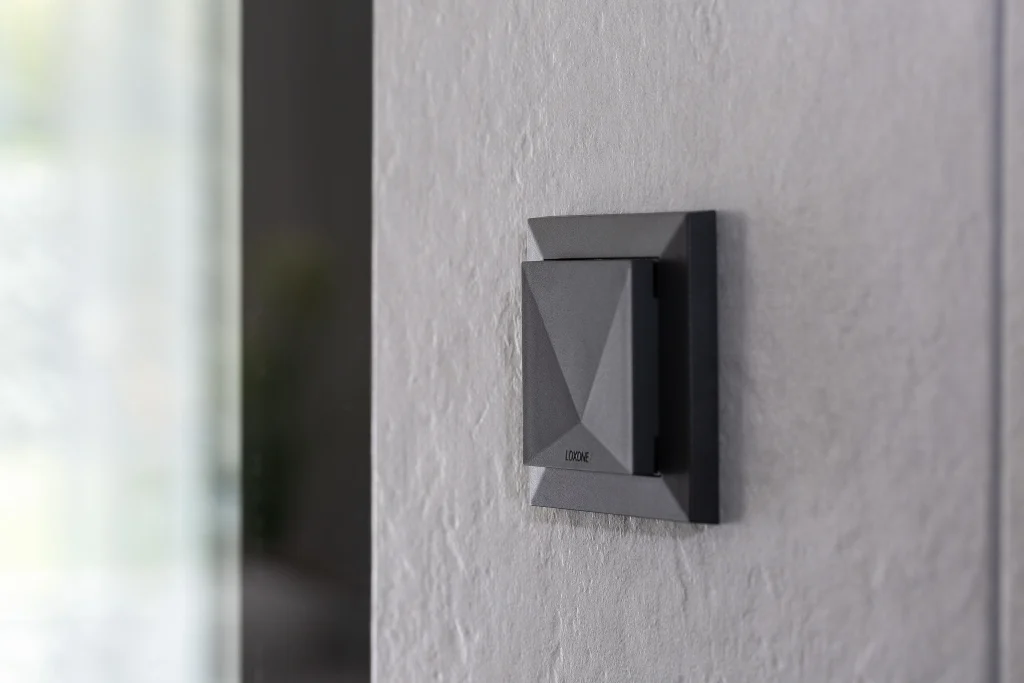
Tree is the wired bus. Devices such as switches, presence sensors and lighting connect over dedicated cabling that carries both communication and 24V power, wired in flexible tree, star or line topologies back to the Miniserver or a Tree Extension. It is the medium we design around when the building is open, because it gives permanent devices a physical, testable path.

Air is the wireless counterpart, operating in a sub-GHz radio band. Mains-powered Air devices repeat the signal for devices further away, battery devices sleep to conserve power, and the whole Air network sits inside the same Miniserver logic as everything else. That last point is what makes Air valuable to us: a wireless device added through Air joins the same automation architecture, the same app and the same scenes as the wired core, rather than arriving with its own ecosystem.
Our decision process is not complicated. Where the building gives us the opportunity, our default is to design the permanent infrastructure first. Air becomes particularly useful when adding the cable is no longer practical: a retrofit device in a completed room, an additional switch the owner requests after handover, a sensor in a difficult location. We do not see Air as an inferior version of the system. It solves a different problem. It is also worth knowing that in our project designs, wireless retrofit solutions can carry a higher per-point hardware cost than providing the corresponding wired infrastructure while the building is still open, which is one more reason to plan the cable while the choice still exists.
“When the walls and ceilings are still open, we prefer to install the right infrastructure now rather than introduce a wireless dependency that was never necessary.”
Muzamil MahmudFounder & Principal Integrator, MadocWhat Our Wireless Projects Changed About Our Approach
Madoc has completed a small number of projects built predominantly on wireless architectures, mainly Zigbee-based. Those projects taught us more about our own standards than any brochure could.
The systems worked. The difficulty was keeping them working to the standard we wanted to offer, over years, with reasonable effort. Fault diagnosis involved the radio and topology variables described earlier. Battery devices added their maintenance layer. Multiple gateways and ecosystems complicated integration and support. None of this means Zigbee cannot be reliable. It is a proven, widely deployed technology, and in the right architecture with the right support model it serves many buildings well.
But engineering policy is about what a specific team can support to a specific standard. We concluded that a predominantly wireless backbone did not let us deliver the long-term experience we wanted our name attached to. As a result, Madoc no longer uses Zigbee as the primary automation backbone for new premium projects, and where wireless is needed within our projects we generally prefer Loxone Air, because it keeps every device inside one architecture we can support end to end. That decision reflects our support model and our experience, not a verdict on anyone else's technology.
Wireless Does Not Automatically Mean Cloud
Two separate questions are routinely blended into one. How a device communicates is a radio question. Where its logic runs is an architecture question, and the second matters more.
A wireless device can be entirely local: Thread networks operate on the home network without internet, and Loxone Air devices talk only to the local Miniserver. Equally, a wired device can be cloud-dependent if its features live on a manufacturer's server. So instead of asking wired or wireless, ask of any system: where does the logic run, what infrastructure does it assume, which features require the internet, and what still works when the internet is gone? Those answers, not the presence of a cable, determine how self-sufficient the home really is.
What Happens When the Internet Goes Down?
Broadband fails, in every country, and a home's permanent functions should not fail with it. This is a design requirement we hold regardless of physical layer: lighting, climate, shading and scenes should continue working on local logic when the connection drops.
It is one of the reasons the Loxone architecture suits our philosophy. All automation logic runs locally on the Miniserver in the building, and Loxone states plainly that the system continues to function without an internet connection, with no cloud dependency for core operation. The internet still adds real value at the edges: remote access from outside the home, online music services, voice assistants, weather data and cloud integrations. Losing broadband should cost you those conveniences, and nothing else. If losing broadband costs you your light switches, the architecture was wrong.
Retrofitting an Existing Malaysian Home
Everything so far assumed some freedom to build. Most homes are already built, so the practical question becomes what the finished building still allows. In our retrofit surveys, one factor dominates: the ceiling.
Case A: accessible plaster ceiling. Many Malaysian homes have plaster ceilings with usable voids. Where the ceiling can be opened and reinstated, or sections replaced, we can often introduce new cable routes through the void, reach switch locations and lighting points, and still build wired infrastructure in an existing house. This is genuine construction work, with dust, making good and repainting, and it depends on the architecture, the finishes, the electrical scope and the client's tolerance for disruption. But it is frequently possible, and clients are sometimes surprised by how much can be rewired behind an afternoon of reinstated plasterwork.
Case B: finished structural concrete, no concealed route. Where the soffit is exposed structural concrete, or the finishes leave no practical concealed path, adding control cabling becomes far harder. The remaining options are architectural: surface containment, a new ceiling zone, rerouting through adjacent spaces, or accepting visible cabling. If none of those is acceptable, wireless becomes the practical engineering option, and choosing it is simply correct. The available automation architecture depends on what routes the finished building still gives us.
New build or retrofit: what does the building allow?
Install the permanent infrastructure now. This window closes when the finishes go in, and it does not reopen cheaply.
Assess whether new cable routes are practical through the ceiling void. Wired infrastructure may still be achievable with acceptable reinstatement.
Wireless devices or architectural modification become the sensible options. Engineer the wireless properly.
So Which Is Better for a Malaysian Home?
Start from the building, not from the technology. The sequence we use in our own design work runs in this order. What does the building need to do? Which of those functions are permanent and important enough to deserve permanent infrastructure? What infrastructure can still be installed, given where the project is in its life? And only then: where does wireless flexibility genuinely improve the solution?
Answer those four questions honestly and the wired-versus-wireless debate mostly resolves itself. A new build or major renovation points to wired infrastructure for the permanent functions, with wireless in a supporting role it performs well. A completed home points to a larger wireless share, engineered around the real construction of the house rather than around advertised range. In both cases the strongest result is usually hybrid, under one automation architecture with one place where the logic lives.
Timing decides more than technology does. Automation planning should ideally happen before electrical first fix, the stage when conduits and cabling are installed, and before ceilings, walls and built-in finishes close the cable routes for good. The infrastructure decisions made in those few weeks quietly determine what the home can become for decades. Get them right and the question in this article's title stops mattering to the people who live there. In a well-designed smart home, the homeowner should rarely need to know whether a command travelled through a cable, Wi-Fi or a mesh network.
The house should simply work.
Frequently Asked Questions
Is a wired smart home more reliable than wireless?
Not automatically. A well-engineered wireless system can be very dependable, and a badly installed wired system can fail. In our experience the practical difference shows in maintainability: wired faults usually offer a more systematic diagnostic path, and fewer variables such as batteries, radio paths and mesh topology are involved. Reliability over years includes how quickly a problem can be found and fixed.
Does reinforced concrete affect smart-home wireless signals?
Yes. Concrete attenuates radio signals significantly, the effect grows with thickness and frequency, and embedded steel reinforcement adds further loss. Mesh networks can work around this with well-placed routing devices, but coverage in a concrete, multi-storey Malaysian home needs to be designed, not assumed.
Can wired and wireless automation be used together?
Yes, and in our view the best designs usually do. A hybrid architecture puts permanent functions on wired infrastructure and uses wireless devices where they solve genuine constraints, all under one automation system. Loxone's Tree and Air media are one example of both layers coexisting in a single architecture.
Does Thread require the internet?
No. Thread is an IPv6-based local mesh network that operates on the home network without an internet connection. Internet access is needed for remote control from outside the home and for cloud features, not for the Thread network itself to function.
Can an existing home be automated without rewiring?
Usually, yes. Wireless retrofit devices can bring meaningful automation to a completed home without opening walls. The practical extent depends on the construction, coverage planning and which functions you want automated. Where a plaster ceiling offers access, partial rewiring is sometimes possible too, which widens the options considerably.
When should smart-home wiring be planned?
As early as possible, and ideally before electrical first fix, while conduits and cable routes are still open. Automation infrastructure planned alongside the electrical design costs the least and constrains the least. More questions are answered on our FAQ page.

Founder & Principal Integrator, Madoc
Muzamil Mahmud is the Founder and Principal Integrator of Madoc and has worked in building automation since 2013. His earlier training in avionics and aircraft engineering shaped Madoc's approach to reliability, maintainability and automation that reduces unnecessary interaction. Today he remains directly involved in system architecture, integration strategy, programming direction and commissioning across Madoc's residential and commercial projects.
Since 2013
Avionics and aircraft engineering
Plan the Infrastructure Before the Finishes Close
If your project is still at architectural, interior-design or electrical planning stage, this is the best time to decide which systems deserve permanent infrastructure and where wireless flexibility genuinely makes sense.
Book a Consultation Explore Our Projects